
Fake iPhone Text Message Generator
58

John Doe

Having payment issues? Try a different browser or clear your cache. Contact us if it continues.
(Only $0.27/day)
- ✅ Watermark-free image
- ✅ Advertising-free site
- ⬇️ Unlimited download
- ♾️ 25+ tools access
- 🔔 Early access to updates
- ⚡ Instant activation
- 🔐 Secure payment
- 🙈 No personal details required
(Only $0.33/day)
- ✅ Watermark-free image
- ✅ Advertising-free site
- ⬇️ Unlimited download
- ♾️ 25+ tools access
- 🔔 Early access to updates
- ⚡ Instant activation
- 🔐 Secure payment
- 🙈 No personal details required
(Only $0.43/day)
- ✅ Watermark-free image
- ✅ Advertising-free site
- ⬇️ Unlimited download
- ♾️ 25+ tools access
- 🔔 Early access to updates
- ⚡ Instant activation
- 🔐 Secure payment
- 🙈 No personal details required
(Only $0.67/day)
- ✅ Watermark-free image
- ✅ Advertising-free site
- ⬇️ Unlimited download
- ♾️ 25+ tools access
- 🔔 Early access to updates
- ⚡ Instant activation
- 🔐 Secure payment
- 🙈 No personal details required
(Only $1/day)
- ✅ Watermark-free image
- ✅ Advertising-free site
- ⬇️ Unlimited download
- ♾️ 25+ tools access
- 🔔 Early access to updates
- ⚡ Instant activation
- 🔐 Secure payment
- 🙈 No personal details required
Choose Payment Method
Annual — $120 / yearCrypto (USDT, BTC ...)
Pay with BTC, USDT, Tron & more...Debit or Credit Card
Visa, Mastercard & moreDownload not working? Click here to download again.
Need to share your fake iPhone text? Create a QR code from your image or link instantly with the Free QR Code Generator.
iPhone Text Generator – Create Realistic Fake iMessage Screenshots
Not every text needs to be shown in a real messaging app. Sometimes you simply need to show how a conversation might look on a phone. This could be a character receiving an important message in a film, a teacher explaining a digital situation, a designer showing a mobile interface, or a student adding a chat example to a project.
That is where this fake text message iPhone generator can help. You can create a fictional conversation, adjust the phone interface, and check the result before saving or downloading it.
The page works for both beginners and users who create chat mockups regularly. Start with a basic message, then add extra details when your project calls for them.
Start Creating an iPhone Chat
The fake iMessage generator lets you control individual messages instead of making you work with a single fixed template.
First, choose:
Enter your text in the message field and add it to the phone preview. Keep creating until the fake iMessage convo fits the scene you are creating.
This is helpful when you need a particular order of messages instead of a basic screenshot. You can build a quick chat scenario or a longer convo for a presentation.
Customize Message Details
A fake chat iPhone mockup is not just about the text bubbles. Details around each message can make the final image easier to follow and more useful for your project.
You can change:
Message status can be useful when you need to show that a text was not successfully delivered. Available options include:
You can also use familiar reactions such as:
👍❤️😂😮😢🙏
Together, these options make it easier to create a natural-looking fake text message iPhone mockup without editing every part of the image by hand.
Add Dates, Voice Notes, and Notifications
Some conversations need more detail than standard text messages. Additional tabs are available for those cases.
Date
Use the Date section when a conversation covers more than one day. You can choose:
Voice Note
Need to include an audio message? The Voice Note section allows you to select an audio file.
Notification
You can also add a notification when an alert is important to the scene. This can come in handy for storyboards, UI concepts, teaching examples, or situations where the arrival of a message is part of the story.
Change the iPhone-style Display
The messages are only one part of the mockup. Display Settings let you change how the phone itself looks around the conversation.
Layout Settings
Several layout styles are available, including:
The fake iMessage dark mode option is useful for projects that call for a darker phone interface.
Header Settings
The header controls let you adjust different elements shown at the top of the phone screen, including:
Footer Settings
You can also hide the footer when you want a simpler, less crowded layout.
Save Your Preferred Settings
Making several mockups for one project? You do not have to set up the phone the same way every time. Save your display settings as a preset and use them again whenever you need them.
Keeping the same settings also means your mockups will have the same look from one image to the next.
Why a Fake Chat iPhone Generator is Useful
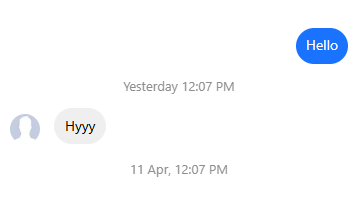
Sometimes a written conversation is not enough. A chat shown on a phone gives people a better idea of who is talking, what was said, and how the conversation is laid out.
The fake chat iPhone generator lets you put that conversation together without having to build the screen yourself in a design program.
You can use it to:
Instead of showing a block of dialogue, you can show the messages as they would appear in a phone conversation.
FAQs
What is a Fake iPhone Text Message Generator?
It lets you make an iPhone-style text conversation using your own messages, times, reactions, and other details.
How Do I Show a Message as Not Delivered?
Add a message, then choose “Not Delivered” under the message status settings.
What Time Formats Are Available?
The tool supports both 12-hour and 24-hour time. With the 12-hour format, you can also use AM or PM.
How Are Different Days Shown in the Conversation?
Go to the Date option and choose Today, Yesterday, Monday, or enter a custom date.
What Can I Add Besides Text Messages?
You can add reactions, image or video thumbnails, voice notes, and notifications along with the text messages.
Tip:- To add emojis, use windows + (.) perieod for Windows and ⌘ Command + ⌃ Control + ␣ space for Mac
Chat Preview
Note : Email, Password, Address and Name generated from our website is 100% valid for use but emails generated here does not work like an actual email address. Even Address streets are randomly generated it doesn't match with real addresses. All details are randomly generated. The email address, password, name and address details generated by our website are for data testing purposes only. This will help you to not expose your email address to avoid spam and to protect your personal informations.